Aim Trainer - Progress Tracker
Web platform with 70+ benchmarks tracking aim trainer performance with 120,000+ unique monthly users.
Introduction
KovaaKs Aim Trainer is a popular aim training software used by gamers to improve their aiming ability. Previously, all community benchmarks apart from one made by the Voltaic aim group were created using Google Sheets.
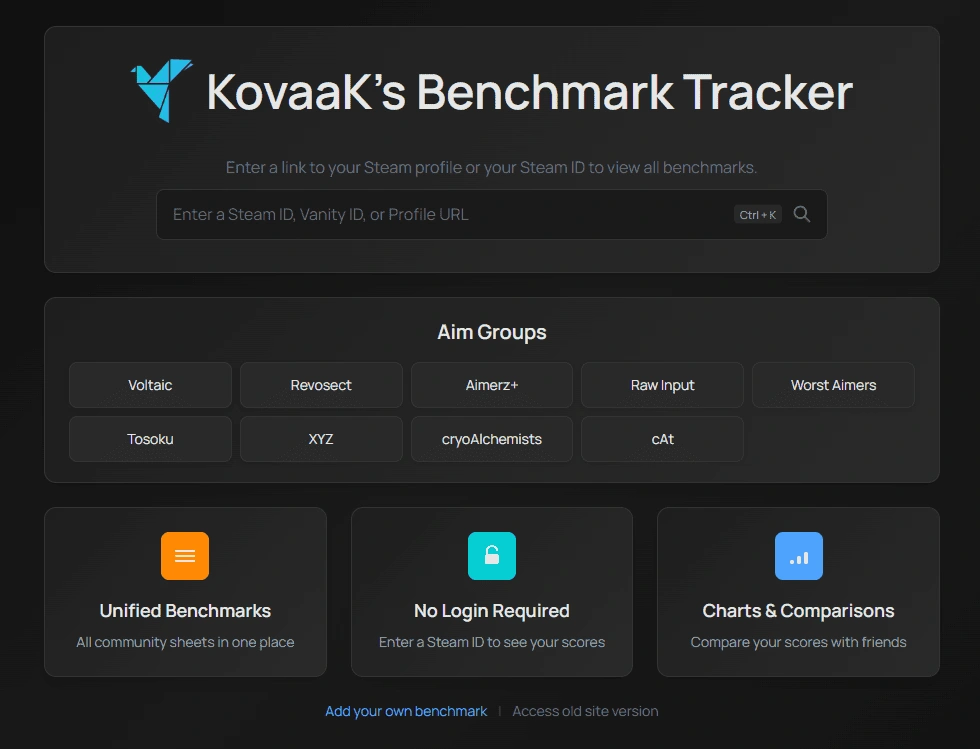
This app has full support for both KovaaK's and Aimbeast benchmarks, and has been designed to be as easy to use as possible, by not needing any login or account creation and simply entering a Steam ID, vanity ID, or profile URL to access your profile and scores, and is a replacemnt for Google Sheets benchmark tracking.
Essentially, this is a web application that supports all community benchmarks and the different rank calculation systems they use, all accessible in one place as a benchmark hub.
Project Overview
There are currently over 70 integrated community benchmarks and 120,000+ unique monthly users (around 33% of the KovaaKs userbase), and it has become a platform used by both beginners and advanced players to monitor their progress and compare performance.
Built with Svelte 5, styled with Tailwind CSS, and using Cloudflare Workers for serverless functions, the website is designed to be as fast and user-friendly as possible, with extensive prefetching and caching, while also having tooltips for most user interactions. The platform also uses an external backend service for heavy data processing tasks, such as leaderboard ingestion and rank distribution calculations, built with Node.js and ClickHouse. This is hosted on a Hetzner VPS using docker containers.
Core Features
1. Unified Benchmark System
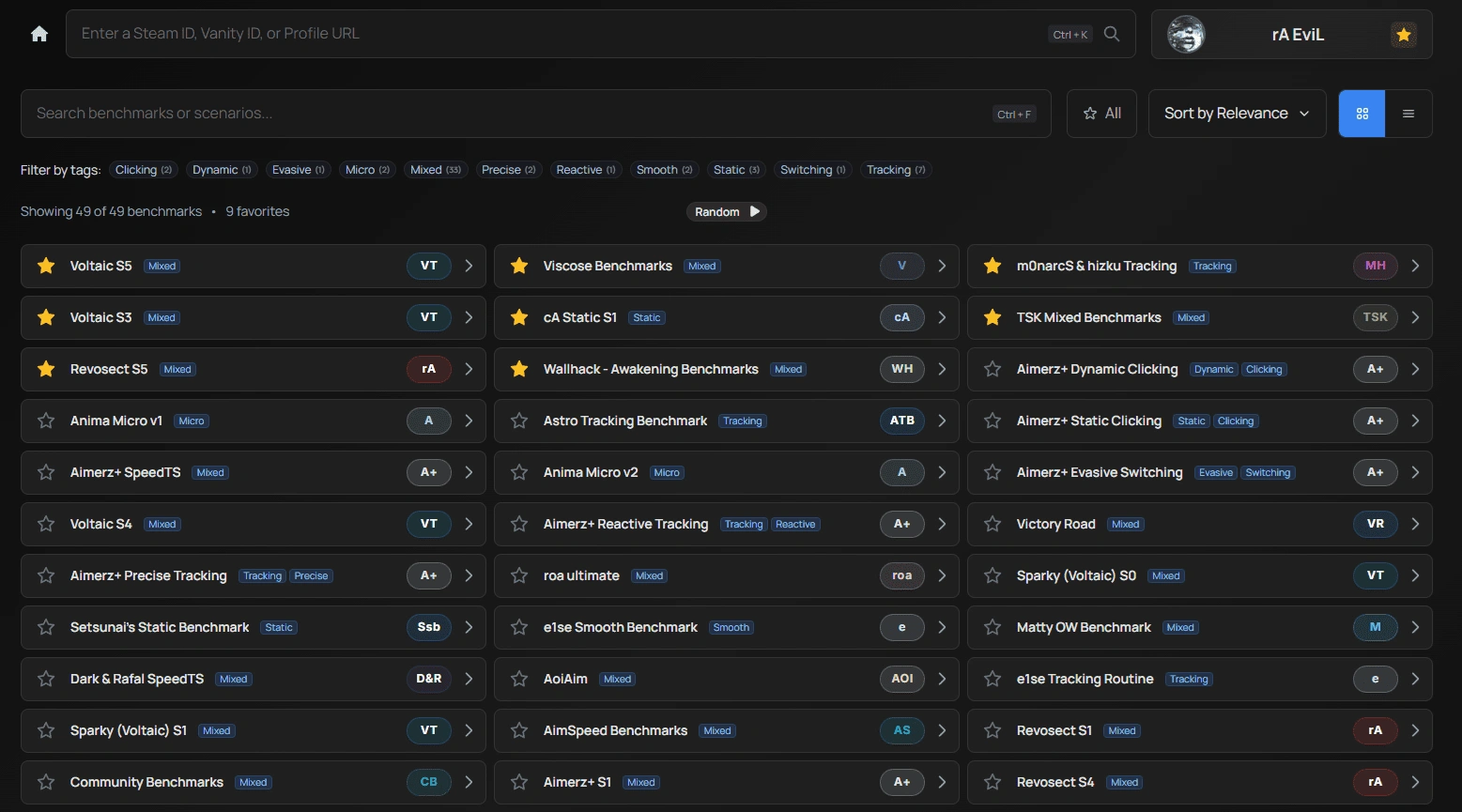
The platform consolidates 70+ community benchmarks into a single interface, which can be accessed after entering a Steam ID, URL, or vanity ID. There are filters and tags that users can use to find the benchmark they want to try, as well as a button to play a random one.
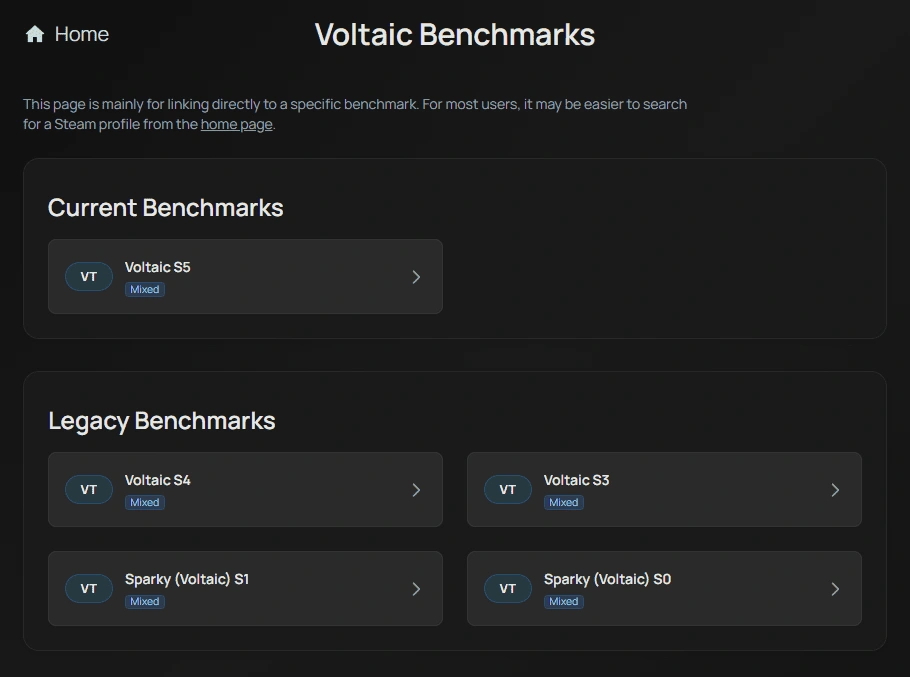
There is also support for linking to specific aim groups directly, such as Voltaic or Revosect.
Featurews include:
- Browse benchmarks from Voltaic, Revosect, Aimerz+, and more
- Filter by mixed, precise, reactive, tracking, switching, and other categories
- Sort by relevance or favorites
- Favorite benchmarks for quick access
2. Steam Integration & User Profiles
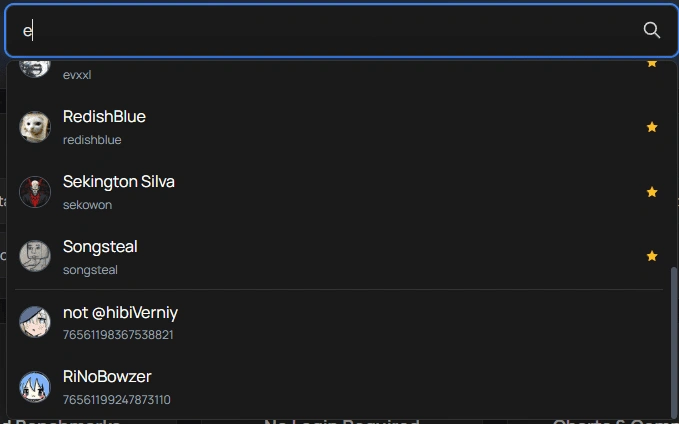
Users can easily access their profiles using Steam ID, vanity ID, or profile URL. The platform automatically fetches scores from the KovaaKs, or Aimbeast API.
Features:
- Steam Vanity ID resolver
- Autocomplete for favorited players
- Autocomplete for cached profiles
3. Progress Tracking Table
The main score tables are based on existing Google Sheets benchmarks, but use the KovaaKs or Aimbeast API to fetch user scores automatically, and make score tracking much easier. Each benchmark uses its own structure and rank calculation method, supporting 30+ different rank calculation modes. Each benchmark includes multiple difficulty tiers, allowing players to track progression from beginner to elite levels.
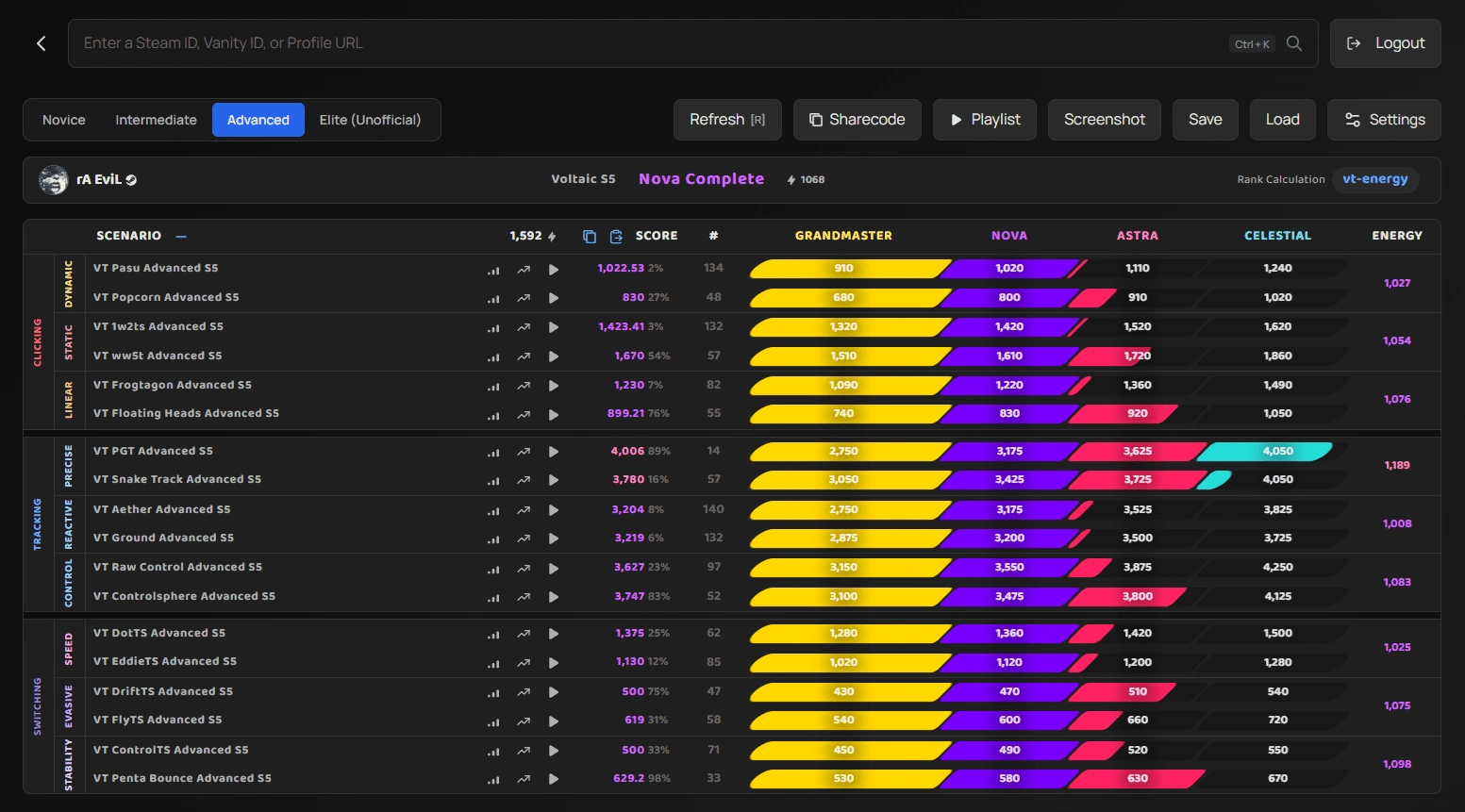
Table features:
- Different difficulties for the benchmark accessible via tabs
- Organized by categories (Clicking, Tracking, Switching, etc.)
- Visual rank progression bars (Bronze → Silver → Gold → Platinum)
- Current score vs. rank thresholds
- Percentage completion toward next rank
- Energy score calculation (custom rank metric)
- Edit scores to see how improvements affect rank
- View score history when linked to kovaaks.com account
- Compare scores with friends or other players
- Open the benchmark directly in KovaaKs
- Save a screenshot of the table for sharing
- Saving and loading previous states of the table
- Settings to customize table appearance and behavior
- Buttons to Copy/Paste scores directly from Google Sheets for validation
4. Progress Tracking & Snapshots
Save snapshots of your scores over time and track rank progression.

Snapshot features:
- Save current scores with timestamps
- Load previous snapshots into the table
- Compare snapshots by loading them as a comparison in the table, which also provides a head-to-head comparison view
- Rank progress over time
5. Score History Tracking
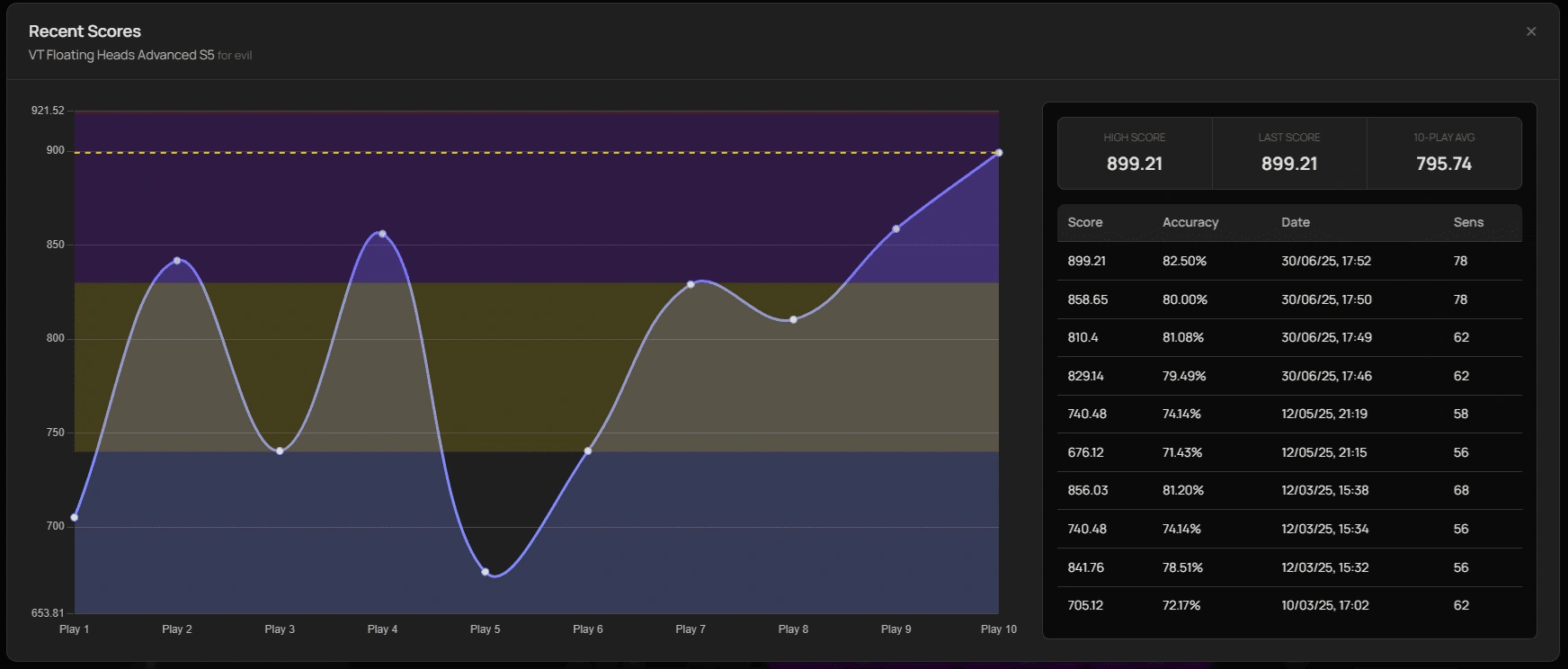
For users who link their kovaaks.com account, they can view their last 10 scores for each scenario in a benchmark. This is limited to the last 10 plays due to KovaaK's API constraints.
6. Customization & Accessibility
Extensive table customization options ensure the interface works for all users.
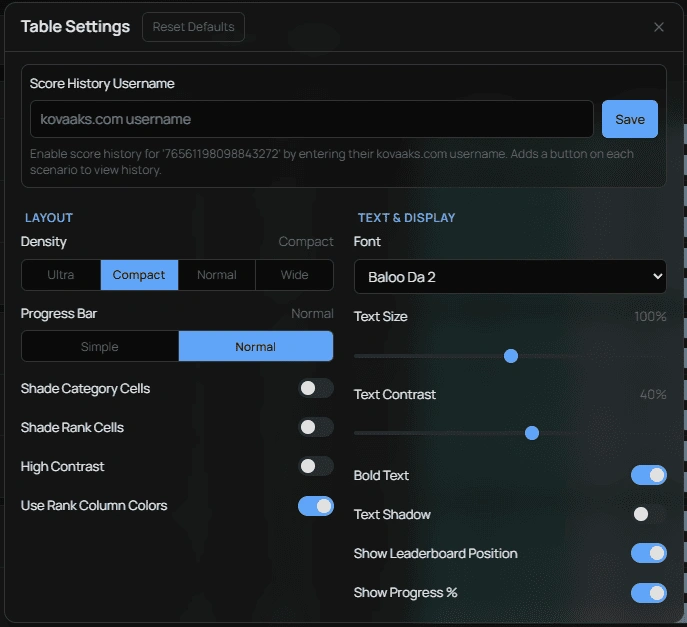
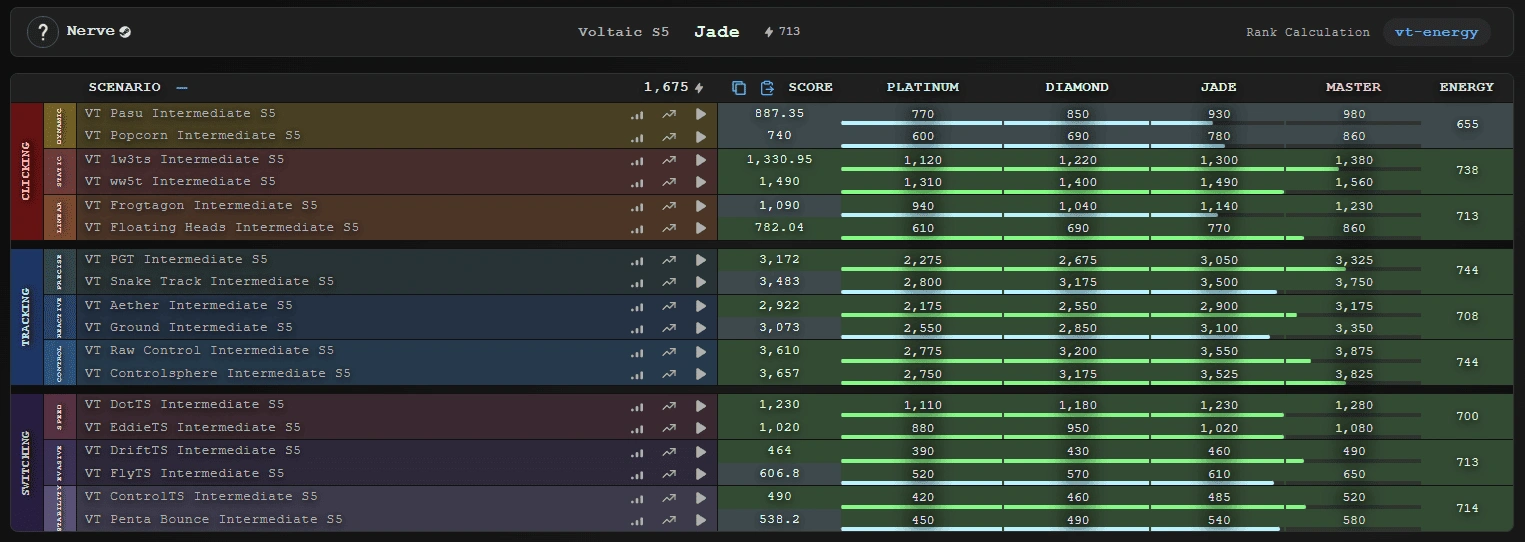
Customization options:
- Layout: Ultra, Compact, Normal, Wide density
- Progress bars: Normal or Simple style
- Visual aids: Shade category/rank cells, high contrast mode
- Typography: Font selection, size adjustment, contrast tuning
- Display: Bold text, text shadows, rank position, progress percentage
7. Benchmark Progress Comparisons
A second user can be loaded alongside the main profile to compare scores side-by-side in the benchmark table, with head-to-head rank comparisons and score differentials highlighted.
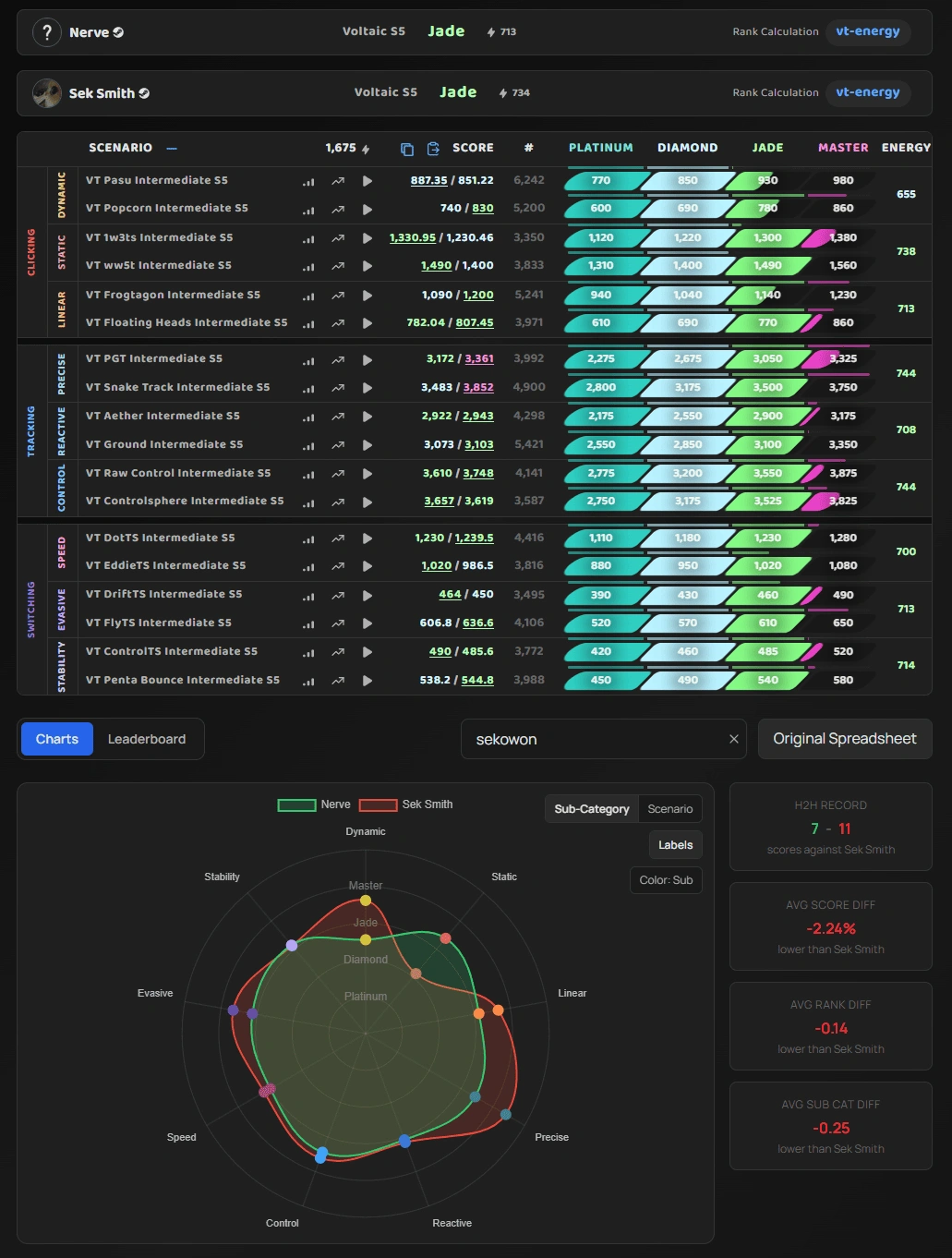
8. Visualizations
Players can visualize their performance with charts if they want a more visual representation of their progress.
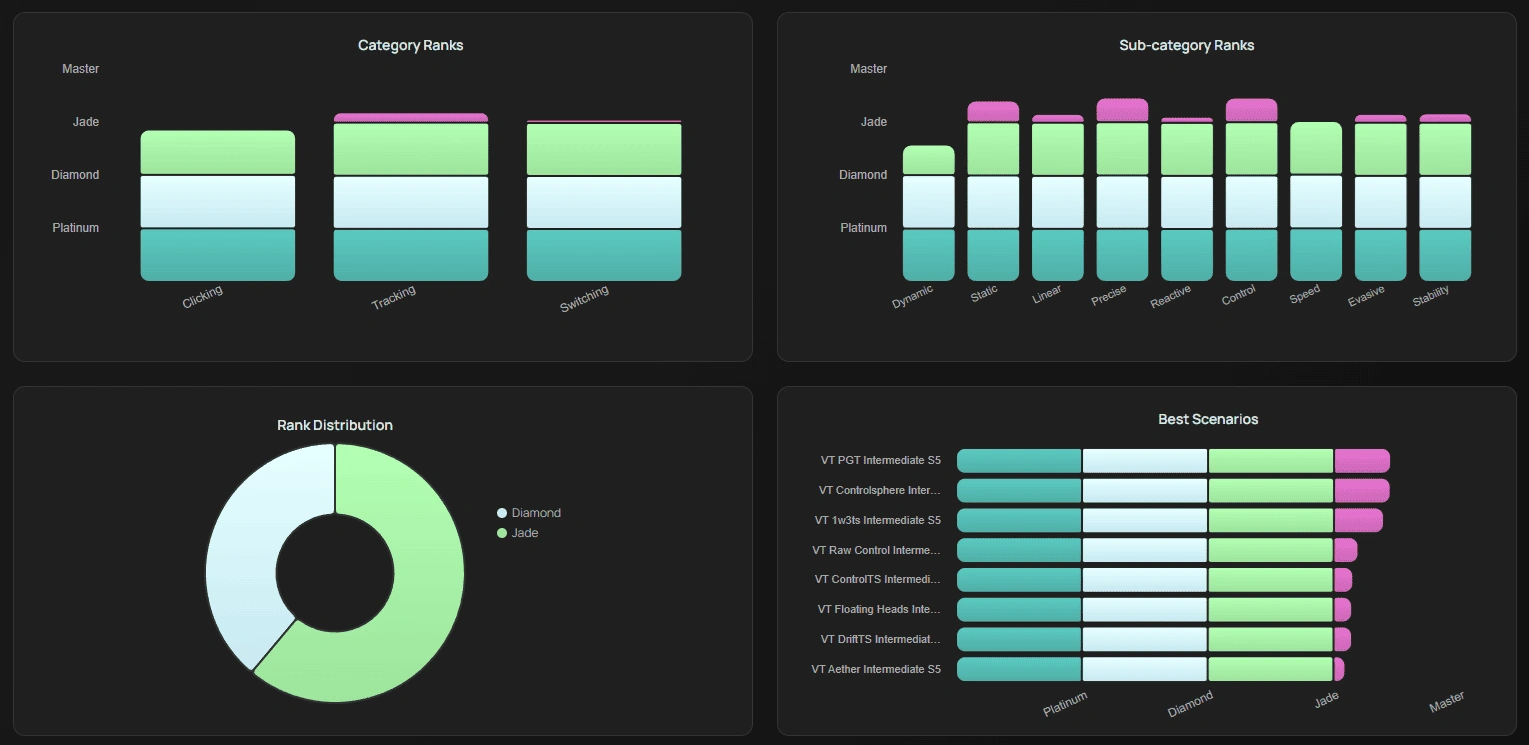
Visualization features:
- Radar charts showing performance across all aim categories
- Head-to-head (H2H) record tracking
- Sub-category performance breakdown
- Color-coded category performance
9. Score Editing
Users can also edit their scores directly in a detailed table view to see how changes would affect their ranks.

10. Leaderboards
Every scenario in a benchmark has a shortcut to jump to its leaderboard. This page is essentially a wrapper of KovaaKs and Aimbeast's existing leaderboards, but provides the additional context of the ranks on the leaderboard, as well as a few extra stats. The site also supports global and ranked leaderboards for whole benchmarks, for both KovaaKs and Aimbeast, with friends leaderboard support as well.
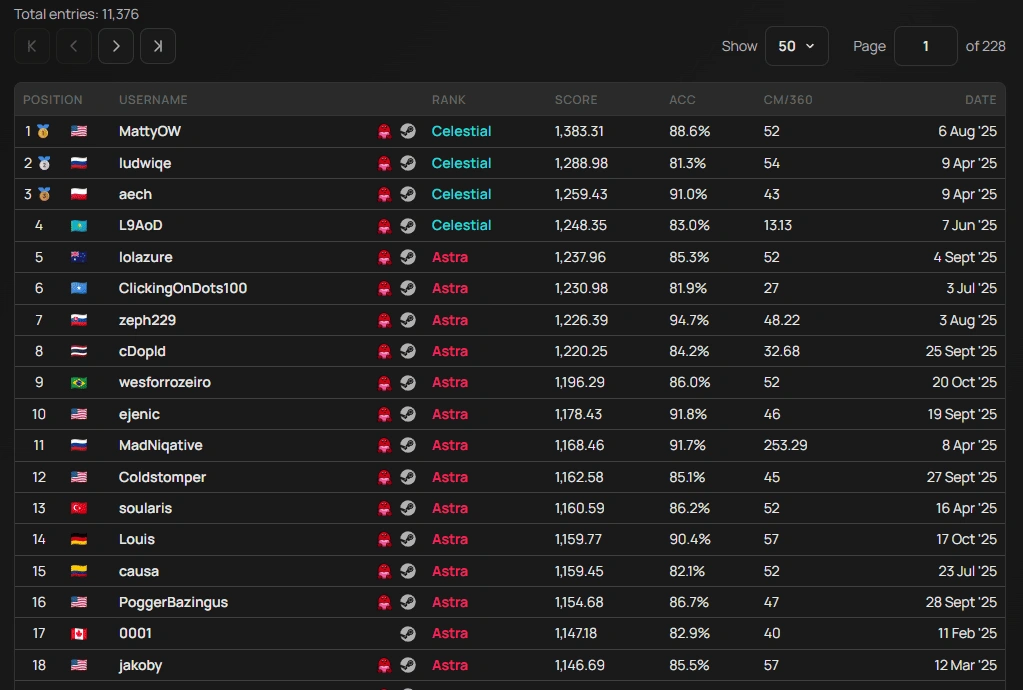
11. Sensitivity Statistics
Each leaderboard page includes sensitivity distribution statistics for the current page being viewed. This is very useful for players looking to optimize their sensitivity settings based on top performers, or players trying to find a starting point.

Insights include:
- Box plot distribution of sensitivity (cm/360)
- Statistical measures (Min, Q1, Median, Mean, Q3, Max)
- Outliers
12. Benchmark Builder
Includes a tool for creating custom benchmarks locally or to be submitted for review to be added. This cannot be fully automated as benchmarks often need manual adjustment to ensure that they are formatted correctly beyond syntactic correctness.
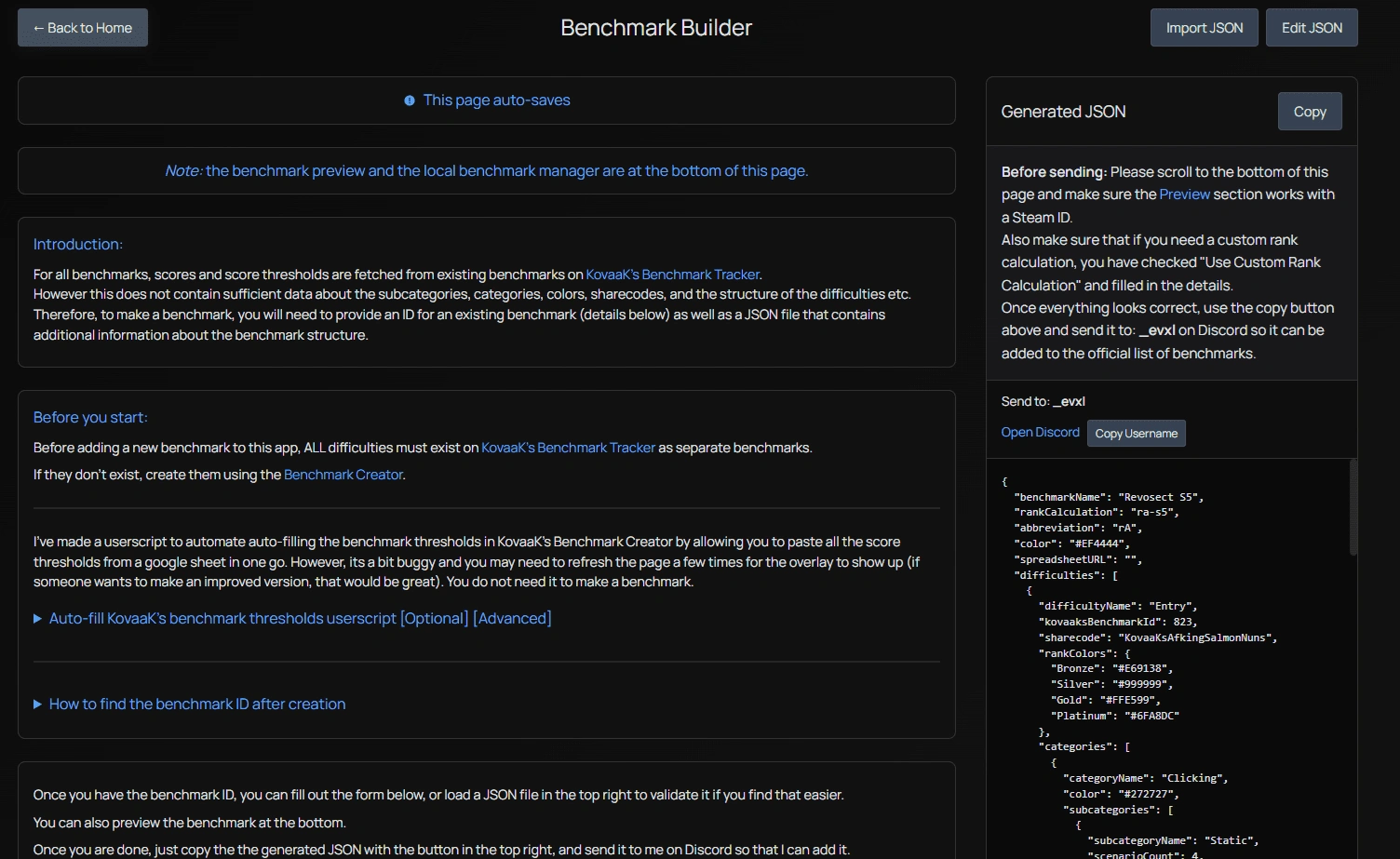
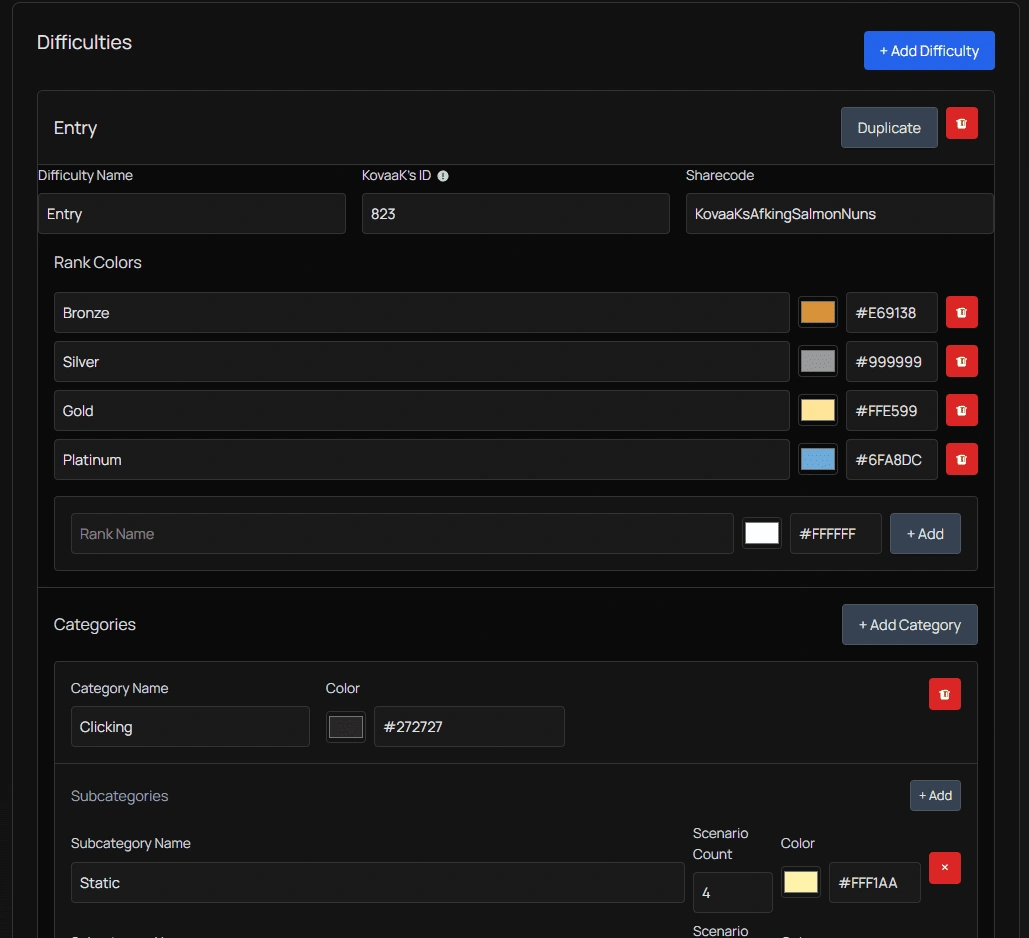
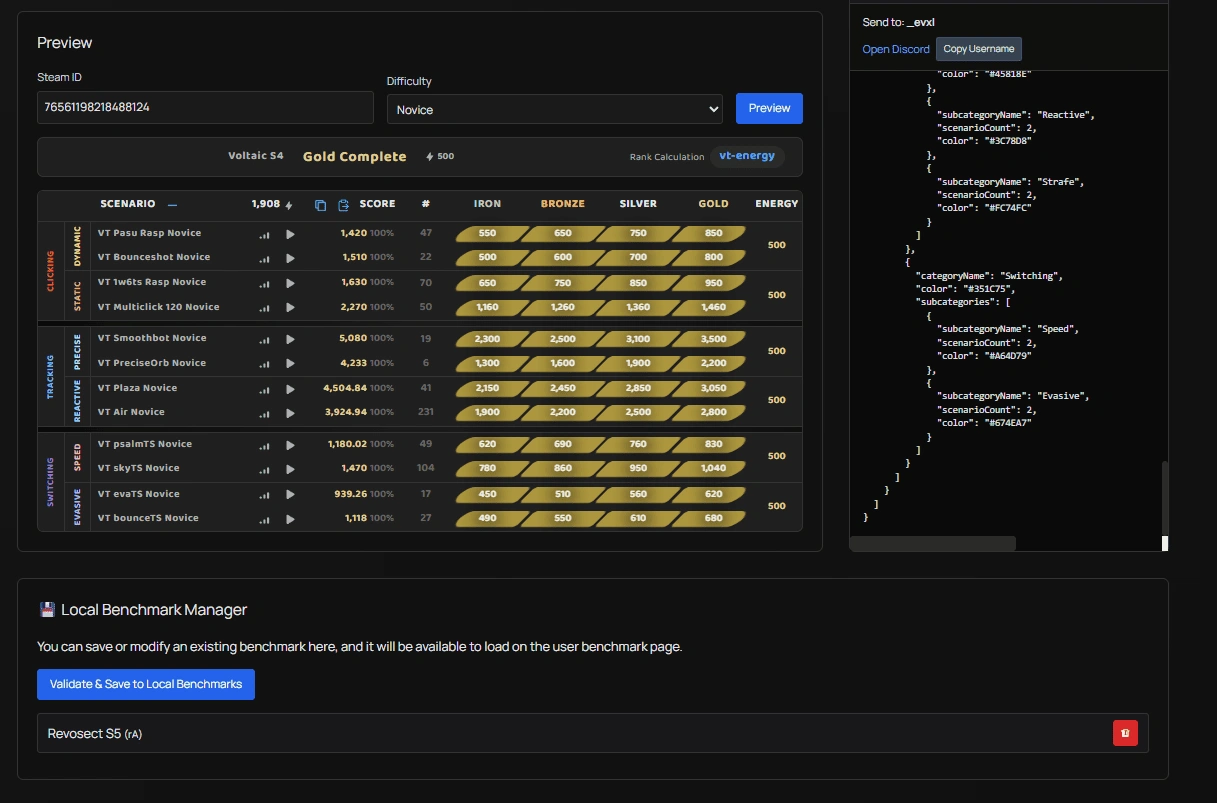
Builder features:
- Add/remove difficulties
- Configure rank colors and names
- Set up categories and subcategories
- Define scenario counts
- Import/Export JSON configurations
- Preview benchmark structure
- Local benchmark management, if users wish to modify existing benchmarks, or create their locally.
Example JSON structure:
    {
      "benchmarkName": "Custom Benchmark",
      "rankCalculation": "generic-energy",
      "difficulties": [
        {
          "difficultyName": "Entry",
          "kovaaksBenchId": 1000,
          "sharecode": "KovaaKsCustomCode",
          "rankColors": {
            "Bronze": "#E69138",
            "Silver": "#999999",
            "Gold": "#FFE599",
            "Platinum": "#6FA8DC"
          },
          "categories": [
            {
              "categoryName": "Clicking",
              "color": "#272727",
              "subcategories": [
                {
                  "subcategoryName": "Static",
                  "scenarioCount": 4,
                  "color": "#FFF1AA"
                }
              ]
            }
          ]
        }
      ]
    }
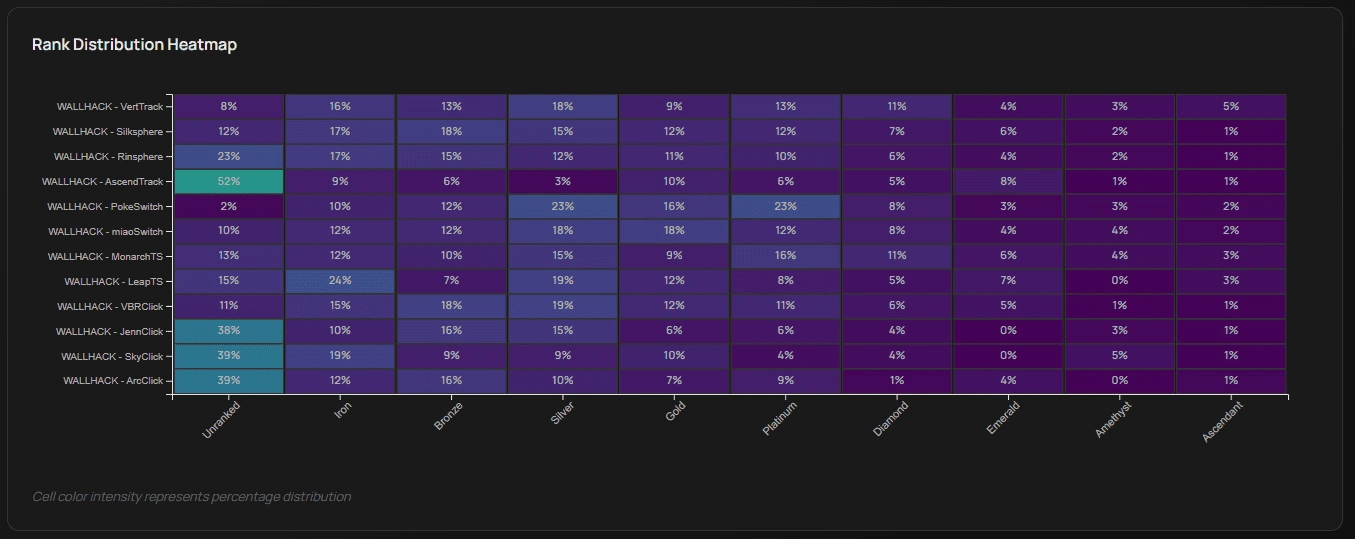
13. Benchmark Statistics & Balancing
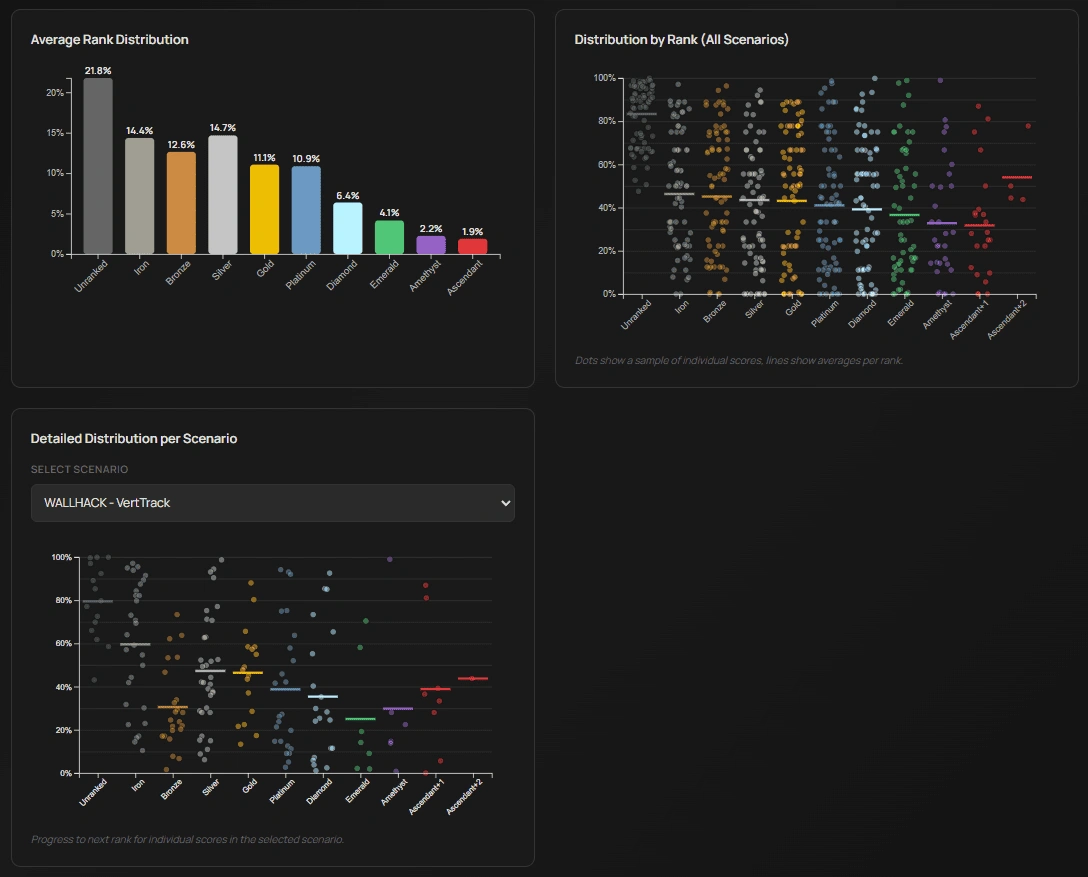
This is a page for benchmark creators, as this is quite heavy on the KovaaKs APIs. It offers statistics about benchmark participation and player distributions.
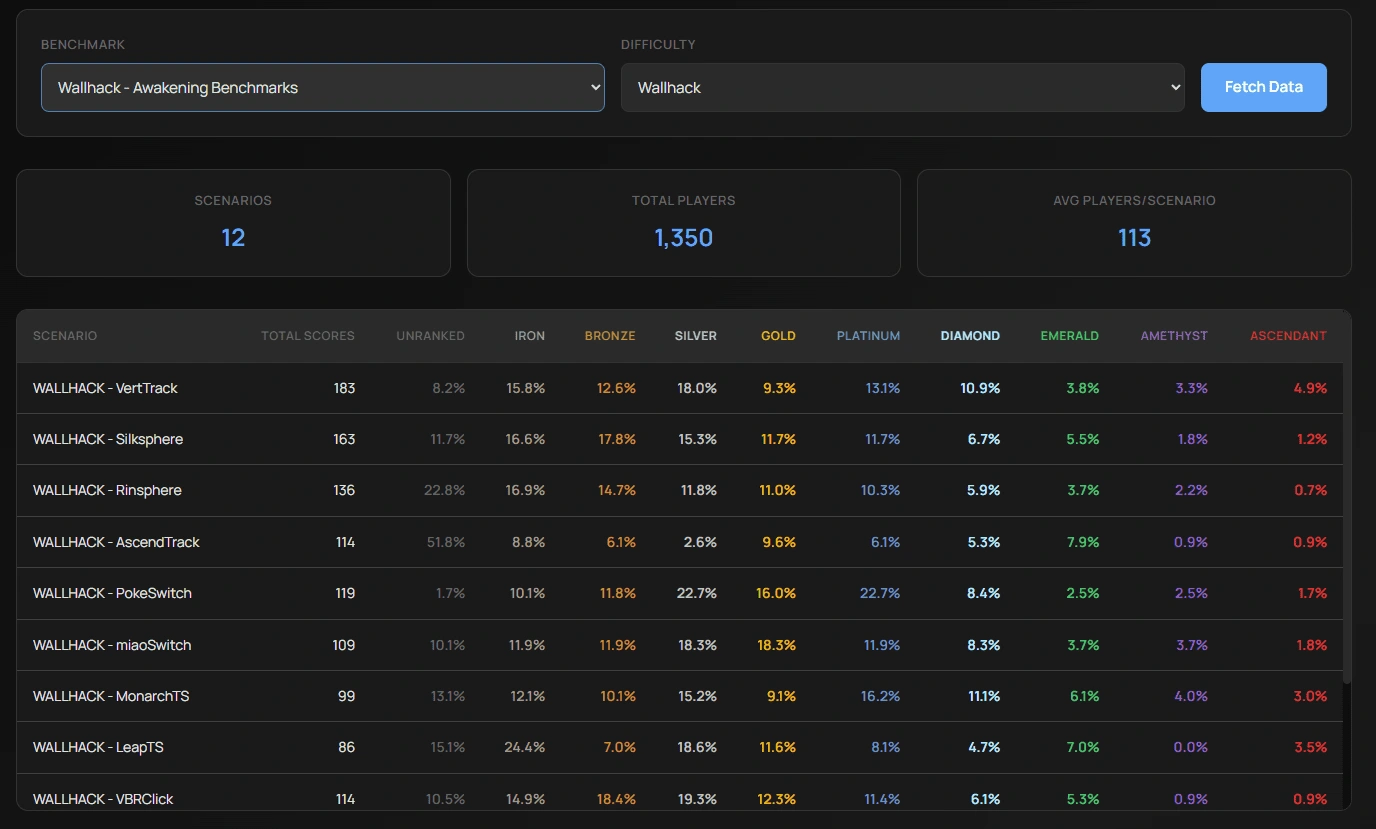
14. Custom Routines (Beta)
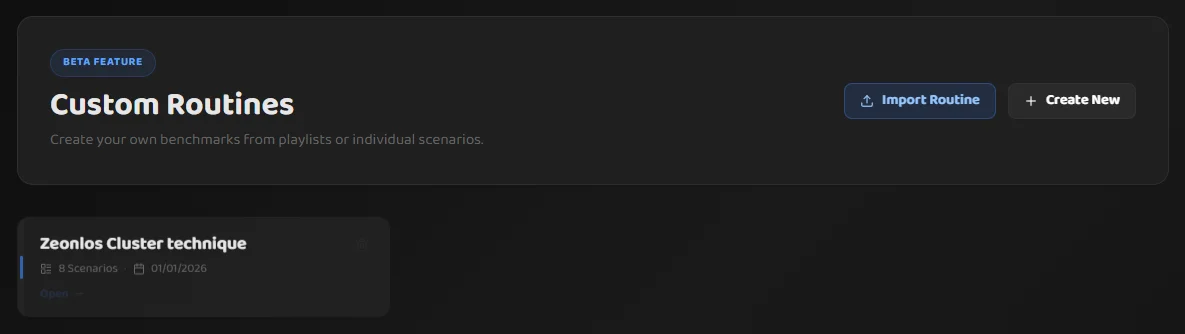
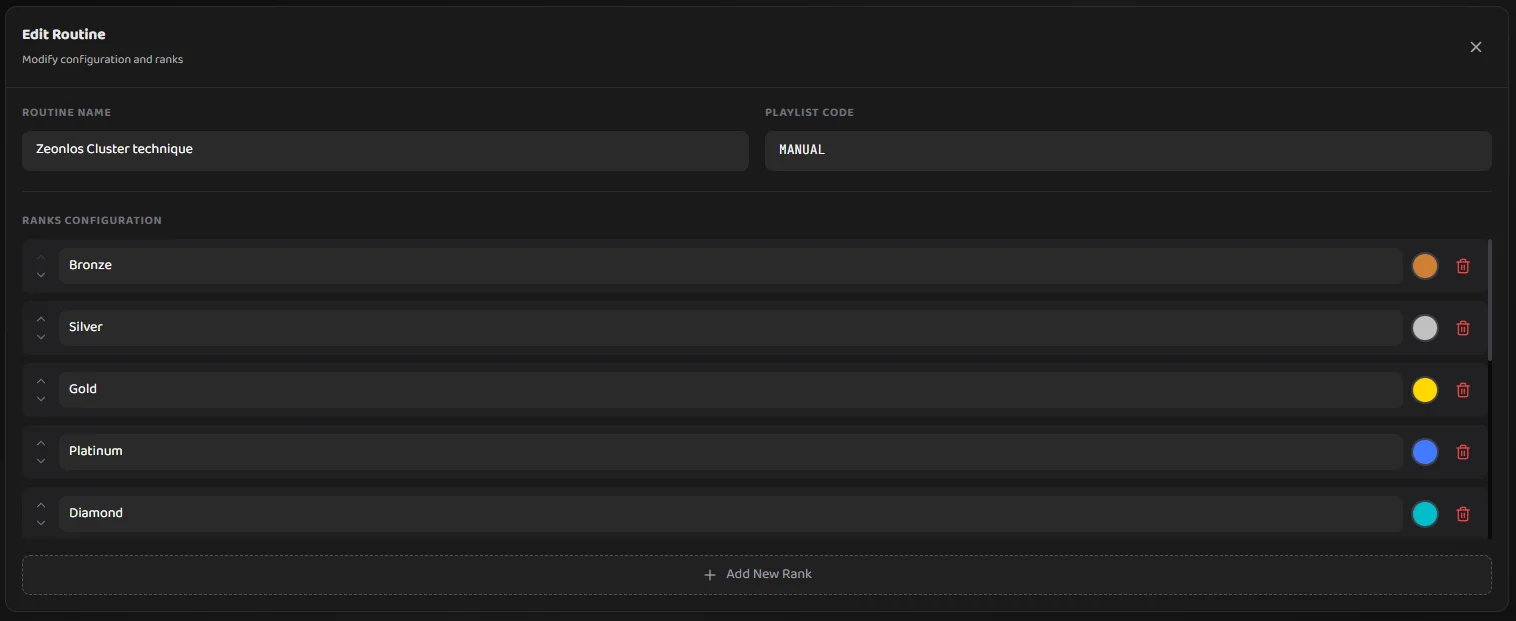
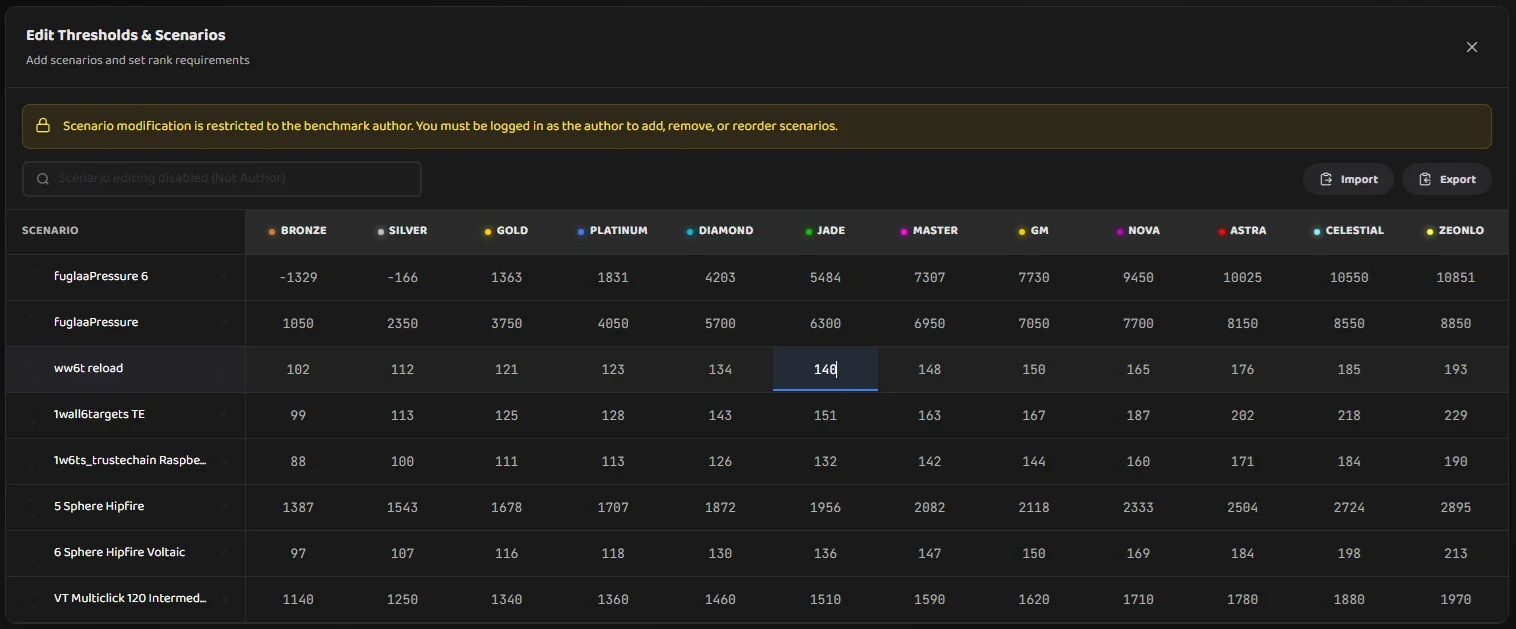
Users can create custom routines from playlists or individual scenarios, turning practice plans into benchmark-style progress tables.
Routine features:
- Create a routine from a playlist code or by manually selecting scenarios
- Generate thresholds dynamically based on global leaderboard percentiles
- Generate a benchmark on kovaaks.com to create an endpoint for score fetching
- Import/Export routines as GZip'ed JSON, which can be as small as 1KB, which makes it easy to share
- Save routines locally and keep multiple versions over time
15. Aimbeast Integration
The platform also supports Aimbeast ranked playlists, with a dedicated profile route and benchmark pages so players can track progress across both aim trainers in one place.
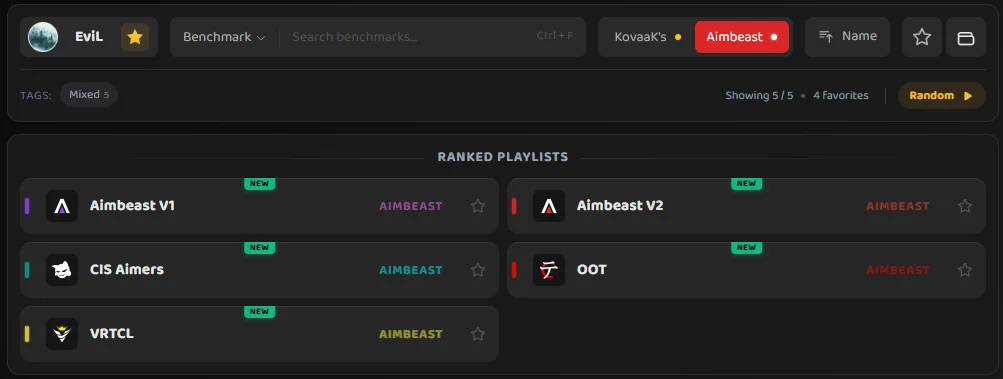
Aimbeast features:
- View Aimbeast ranked playlist progress using the same table + visualization UI patterns
- Aimbeast-specific rank handling and rank icon support
- Scenario leaderboards and player comparisons for Aimbeast scenarios
16. Rank History (Local Stats.csv Scanner)
Players can generate rank-over-time graphs by scanning their local KovaaKs stats exports, which is useful for long-term trend tracking beyond “current rank”.
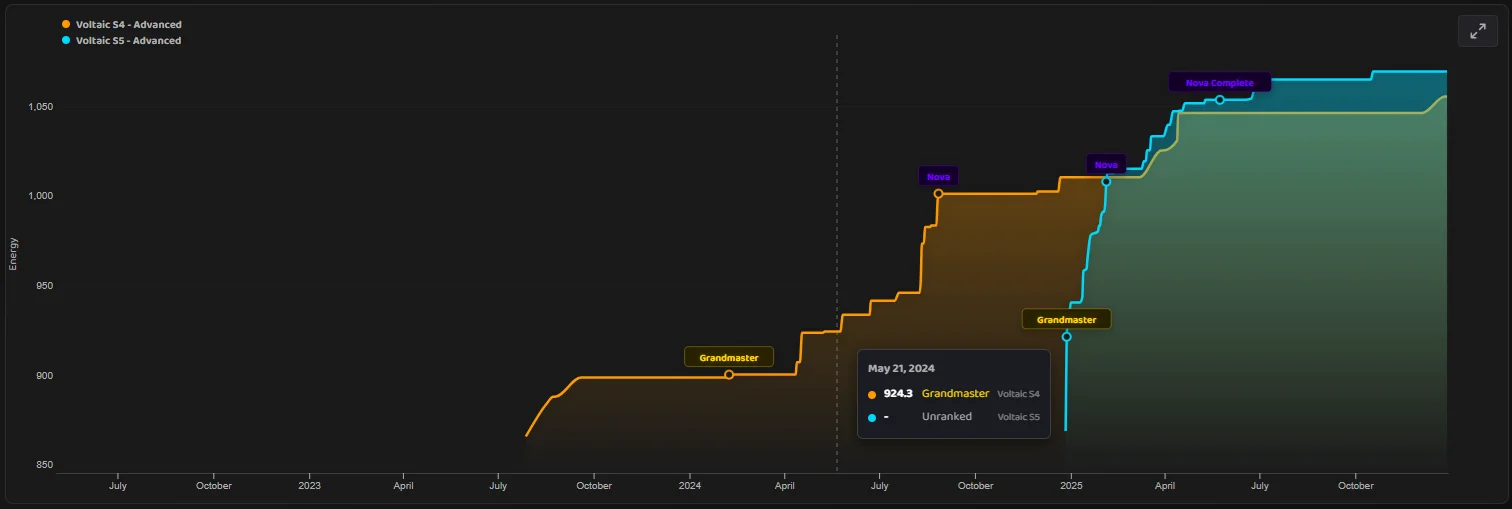
Rank history features:
- Bulk scan a folder of
* Stats.csvfiles and build a time series of scores - All files are processed locally in the browser and are not uploaded anywhere
- Optionally filter by date range and sensitivity constraints to find specific points of interest
- Overlay multiple benchmarks and difficulties to compare progression curves
- Interactive zoom/pan for large datasets
17. Global Distribution Charts
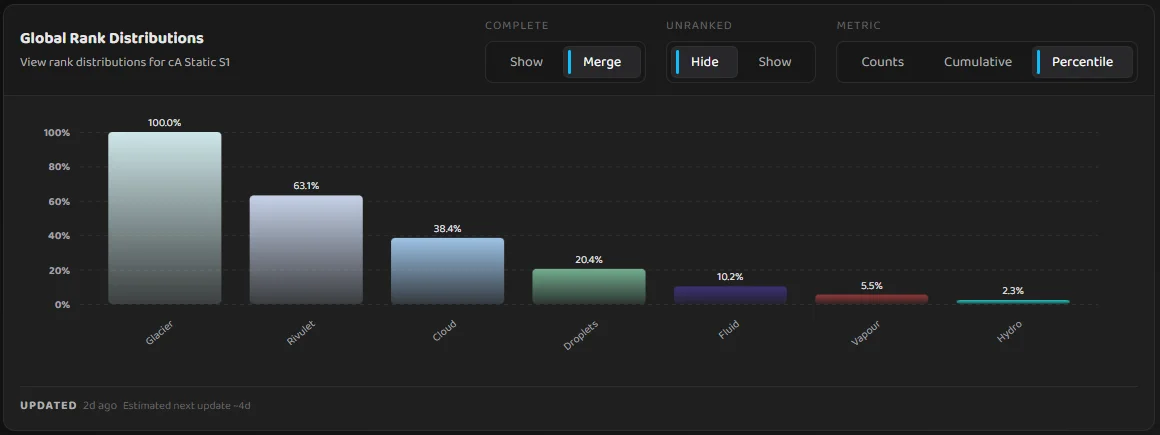
Players can view global rank distributions for each benchmark and difficulty, which is useful for benchmark creators and players wanting to understand the rank spread
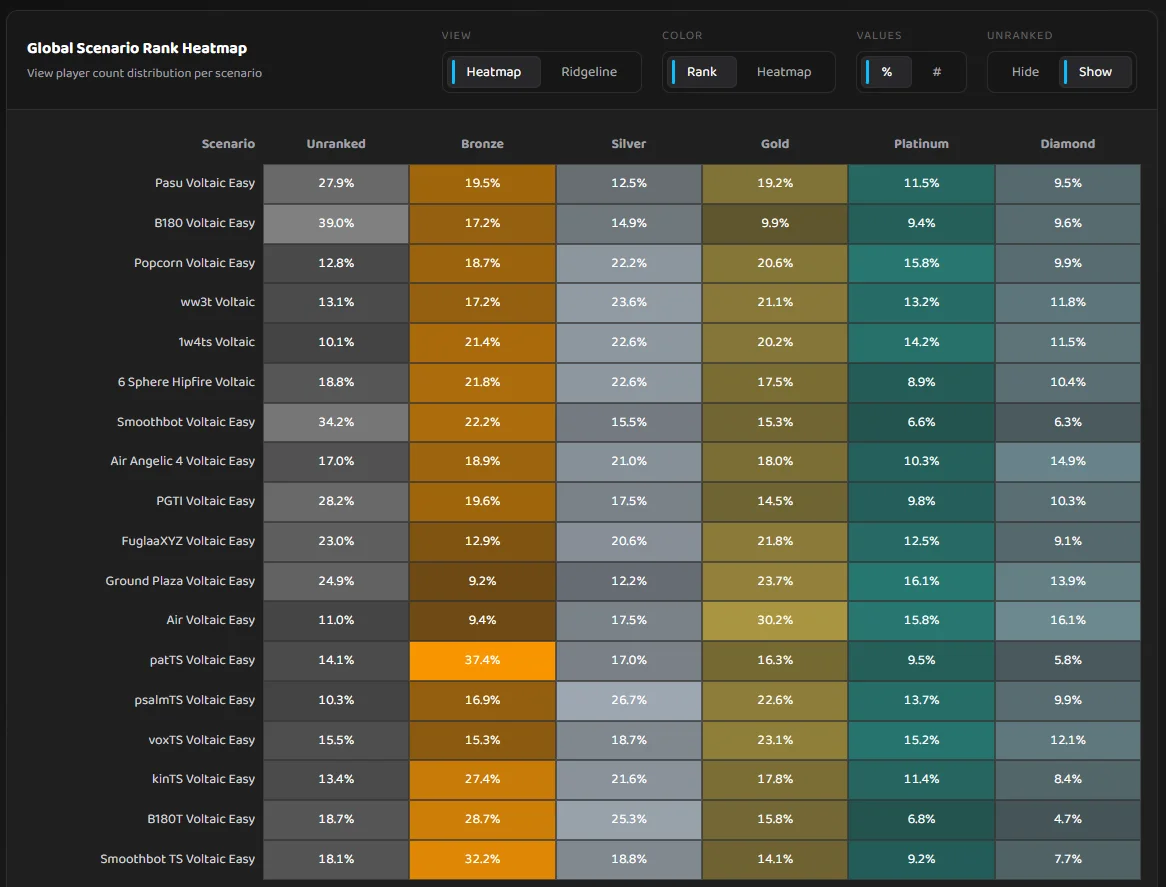
There are also heatmaps for scenario rank correlations, which help benchmark creators identify scenarios that may be outliers or not aligned with the overall benchmark goals.
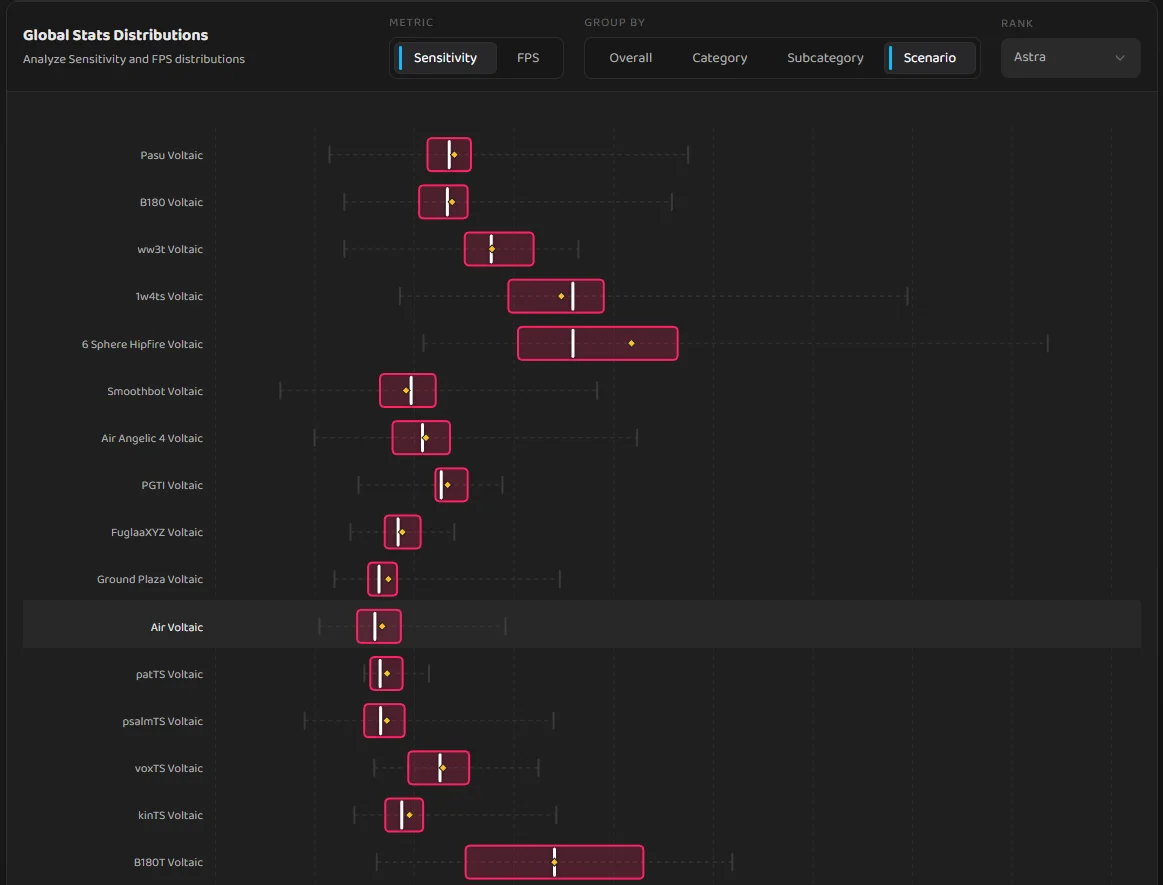
Finally, there are sensitivity and framerate box and whisker distribution plots for each benchmark per scenario and per rank, that can be extensively filtered to find out more about how top players configure their setups. This is especially useful for players trying to optimize their sensitivity settings.
Technical Architecture
Frontend
- Svelte 5 - Reactive UI with good performance. In hindsight, it may have been easier to use React with Next.js for better ecosystem support, but Svelte has worked well so far.
- Tailwind CSS - For quick development
- Chart.js and D3.js - Data visualization and graphs
- TypeScript - Used for better type safety
Backend
- Cloudflare Workers - Serverless edge computing for lightweight APIs and edge caching
- Cloudflare KV - Distributed key-value storage for caching (profiles, snapshots, etc.)
- Cloudflare Browser Rendering (Puppeteer) - Server-side rendering for screenshot exporting
- KovaaKs API Integration - Used to fetch live progress data from KovaaKs
- Aimbeast API Integration - Used to fetch live progress data from Aimbeast
- Steam API - User ID resolution and profile data
By using a lot of local caching, the website currently peaks at 40% of Cloudflare Workers free tier limits without incurring any costs. This is with 120,000 unique monthly users, as reported by Cloudflare Analytics.
Benchmark Backend Service (Separate Repo)
To support heavier data workloads (leaderboard ingestion, distributions, and rank deltas), the project also includes a separate backend service.
- TypeScript (Node.js) + Fastify - API server for ranked leaderboard data and aggregates
- ClickHouse - Analytics database with a blue/green table swapping strategy for data ingests
- Ingestion pipeline - Fetches leaderboard data from KovaaKs, pulls benchmark definitions from my frontend, calculates ranks, and precomputes aggregates
- Precomputed aggregates - Rank distributions, per-scenario rank counts, and sensitivity/FPS distributions (with outlier removal) generated during ingestion
- API surface - Leaderboards (
/leaderboard), distributions (/distributions/*), rank counts (/rank-counts,/scenario-rank-counts), Aimbeast endpoints, and a YouTube proxy endpoint to keep tokens server-side
Last updated January 2026